
NOTE: You must complete and submit a TD 1 form before any expense can be approved or paid. Please be aware that we are unable to accept UNA communication via Employer email – it must be sent from a personal email account.
There are a few methods to submit TD1 forms.
- On DMS Web
- Log in to DMS Web.
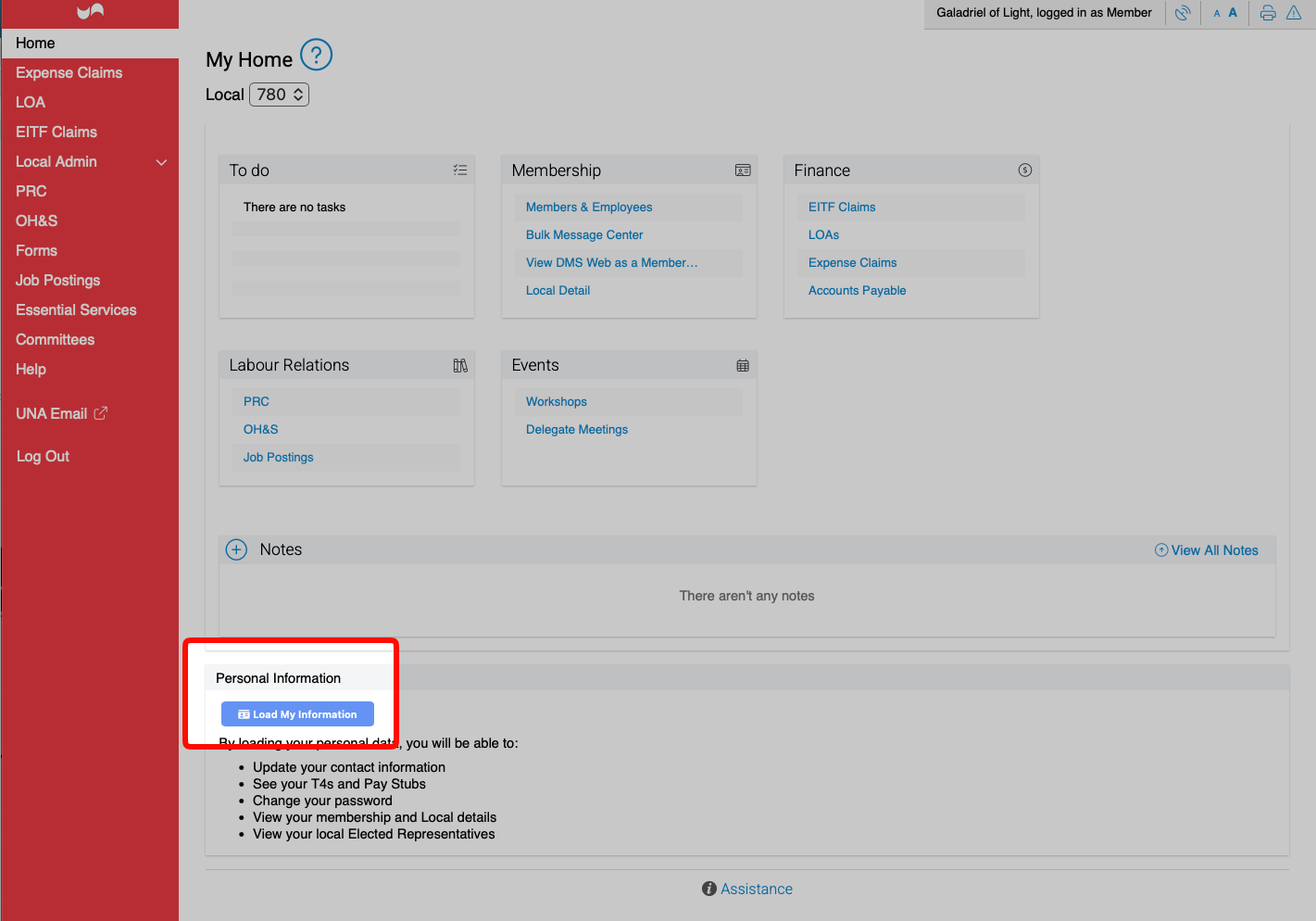
- Scroll down to the Personal Information section and click on the Load My Information on the Home page.
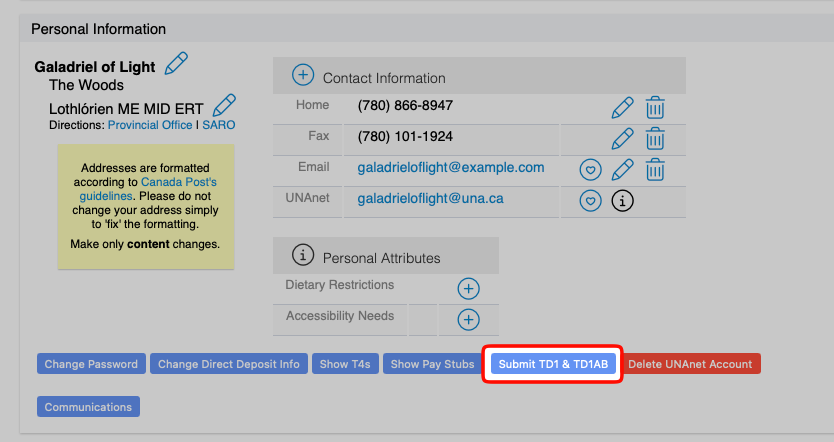
- Click the “Submit TD1 & TD1AB” button located beside the Show T4s and Show Pay Stubs buttons.Please note: It will show “Resubmit” if you have previously submitted in the past.
- E-Mailing
If you are e-mailing in the form, complete both the Provincial and Federal forms online and save them to your computer. Make sure your Social Insurance Number is completed and you have signed both pages. The total should be 0. Attach the completed and saved PDF documents to an e-mail for the UNA Finance Department.
Email to finance.forms@una.ca.